


Apple Security Software Features for Business Data Protection
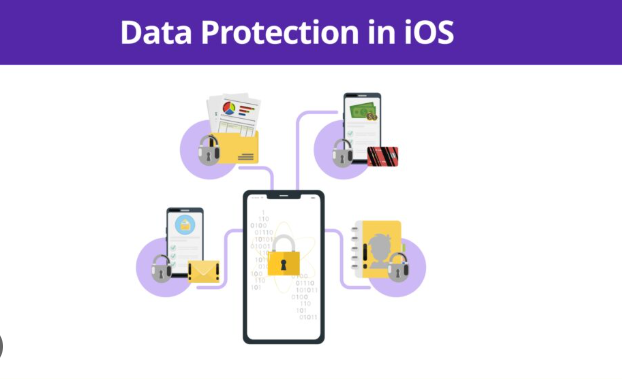
A Complete Guide to Apple Security Features for Business Data Protection
In today’s digital environment, protecting business data is no longer optional. Every organization, whether small or enterprise-level, depends on data for operations, communication, and decision-making. At the same time, threats are becoming more advanced, more frequent, and more targeted.
I have personally noticed that many businesses focus heavily on growth tools, marketing strategies, and automation systems, but often underestimate the importance of security infrastructure. The reality is simple. A single data breach can undo years of effort, damage trust, and create long-term financial loss.
This is where Apple Inc. stands out. Apple’s ecosystem is not just about devices. It is built around a strong foundation of security software features that work together to protect business data at multiple levels.
In this blog, we will explore how Apple’s security software features help businesses reduce risks, maintain compliance, and build a secure digital environment.
Why Business Data Protection Matters More Than Ever
Before diving into Apple’s features, it is important to understand why data protection has become a critical priority.
Businesses today handle:
Customer information
Financial records
Internal communications
Intellectual property
Operational data
Each of these data types carries value. If compromised, the consequences can include financial loss, legal issues, and reputational damage.
From my experience, the biggest risk is not always external attacks. Many issues come from weak internal systems, lack of access control, or outdated security practices. This is why a well-integrated security ecosystem becomes essential.
Apple’s Approach to Security: Built-In, Not Add-On
One of the key differences in Apple’s ecosystem is that security is not treated as an additional feature. It is built into the core of the system.
Devices powered by iOS, macOS, and iPadOS come with integrated security layers that work together seamlessly.
This approach reduces dependency on multiple third-party tools and ensures consistency across devices.
From a business perspective, this means:
Less complexity in managing security
Better integration across teams
Reduced chances of configuration errors
Device-Level Security: The First Line of Defense
Apple devices are built with security at the hardware level, making them a strong foundation for business use. This approach ensures that protection starts from the device itself, not just from software layers. For organizations handling sensitive data, this built-in security reduces risks and creates a more reliable working environment.
Secure Enclave and Hardware Protection
Apple devices include a dedicated security chip called the Secure Enclave, which is designed to store highly sensitive information such as encryption keys and biometric data. This data is kept completely separate from the main operating system, which makes it extremely difficult for attackers to access or manipulate it. Even if the main system is compromised, the Secure Enclave remains protected, adding a strong layer of defense for businesses that deal with confidential information.
Biometric Authentication
Apple uses advanced biometric systems like Face ID and Touch ID to control access to devices and applications. These systems replace or strengthen traditional password-based security by providing fast and secure authentication. From a business perspective, this reduces dependency on passwords, which are often weak or reused. In real-world scenarios, many teams struggle with password management, leading to security gaps. Biometric authentication simplifies access while improving security at the same time, making it easier for employees to work without compromising data protection.
Data Encryption: Protecting Information at Every Level
Data security is not limited to access control. Apple ensures that information is protected throughout its lifecycle, whether it is stored, transferred, or backed up. This multi-layered encryption approach is especially important for businesses that manage sensitive customer or operational data.
End-to-End Encryption
Apple uses end-to-end encryption to protect data both at rest and in transit. This means that information remains encrypted when stored on the device and while being transferred across networks. Even if data is intercepted during transmission, it cannot be read without the correct authorization keys. This level of protection builds trust and ensures compliance with modern data security standards.
File-Level Encryption
In addition to system-wide encryption, Apple also supports file-level encryption. This means each file can be individually secured, adding an extra layer of protection for critical business documents. Even if one part of the system is accessed, other files remain protected, which significantly reduces the impact of potential security breaches.
Secure Backup Systems
Apple services such as iCloud provide encrypted backup solutions that ensure business data remains safe even in cases of device loss, theft, or damage. These backups are protected with strong encryption, allowing organizations to recover data without exposing it to unauthorized access. For businesses, this ensures continuity and reduces the risk of data loss.
Application Security and Privacy Controls
Beyond hardware and data protection, Apple also focuses heavily on application-level security. This ensures that the apps used within the ecosystem follow strict safety and privacy standards.
App Store Review Process
Every app available on the App Store goes through a detailed review process before being published. This process checks for security risks, malicious behavior, and privacy concerns. As a result, businesses can trust that the applications they use meet a certain level of quality and security, reducing exposure to harmful software.
Sandbox Environment
Apple apps operate in a sandbox environment, which means each app runs in its own isolated space. This prevents apps from accessing data or files outside their designated area. Even if one app is compromised, it cannot easily affect other apps or system data, which limits the spread of threats within the device.
Permission-Based Access
Apple gives users full control over what data apps can access, including location, contacts, camera, and files. This permission-based system ensures that sensitive information is only shared when necessary. From a business standpoint, this level of control is highly valuable because it prevents unnecessary data exposure and helps maintain strict privacy standards across teams and devices.
Identity and Access Management
Businesses need clear control over who can access data, and with SaaS SEO enhancing operational clarity, Apple’s secure tools allow easy management of users, devices, and permissions from one platform, improving efficiency and protection.
Apple Business Manager
Apple Business Manager allows organizations to manage devices, users, and access in a centralized way. It helps IT teams onboard new employees quickly, configure devices without manual setup, and control who can access company data. This reduces manual work and ensures consistency across all devices.
Managed Apple IDs
Businesses can create Managed Apple IDs for employees. These accounts are separate from personal Apple IDs, which helps keep company data secure. It also ensures that business information stays under company control even if an employee leaves the organization.
Network Security Features
Secure network access is important, especially when employees work remotely or use public networks. Apple devices include built-in features to protect data during transmission.
Secure Wi-Fi Connections
Apple supports advanced Wi-Fi security protocols that help prevent unauthorized access. This ensures that business data stays protected even when connected to shared or public networks.
VPN Integration
Businesses can set up VPN connections on Apple devices to secure data when employees are working outside the office. This keeps communication encrypted and protects sensitive information from external threats.
Private Relay
iCloud Private Relay hides user activity and protects browsing data. This adds another layer of privacy and reduces the chances of tracking or data exposure.
Advanced Threat Protection
Apple includes strong system-level protections that help prevent attacks and unauthorized changes to devices.
System Integrity Protection
This feature blocks unauthorized changes to important system files. It ensures that the core system remains safe from malicious activity.
Gatekeeper
Gatekeeper checks apps before they run and ensures only trusted software is installed. This reduces the risk of harmful applications entering the system.
XProtect and Malware Detection
Apple devices come with built-in malware detection tools that automatically scan and block threats. This helps maintain system security without requiring extra setup.
Data Loss Prevention Strategies
Data loss can be a major risk for businesses. Apple provides tools that help protect data even if devices are lost or stolen.
Remote Wipe and Lock
If a device is lost, businesses can remotely lock it or erase all data. This prevents unauthorized access and keeps sensitive information safe.
Activation Lock
Activation Lock ensures that even if a device is reset, it cannot be used without proper authorization. This adds an extra layer of security against theft.
Secure Sharing Options
Apple offers controlled file sharing options that allow businesses to share data safely. This ensures that information is only accessible to the right people and is not exposed unintentionally.
Compliance and Regulatory Support
Many industries require strict compliance with data protection regulations. Apple’s security features help businesses meet these requirements by:
Ensuring data encryption
Maintaining audit trails
Providing controlled access systems
This is especially important for sectors like finance, healthcare, and legal services.
Integration Across the Apple Ecosystem
One of the strongest advantages of Apple’s approach is ecosystem integration.
Devices such as Mac, iPhone, and iPad work together seamlessly. Security settings, data access, and user permissions remain consistent across all devices.
This reduces complexity and ensures that there are no weak points in the system.
Real-World Business Benefits
Improved Productivity
Employees spend less time dealing with security issues and more time focusing on their work.
Reduced IT Overhead
Built-in security features reduce the need for multiple external tools.
Stronger Customer Trust
When businesses protect data effectively, they build credibility and long-term relationships.
From what I have observed, companies that invest in security early face fewer disruptions later. It is not just about protection. It is about stability and confidence.
Common Misconceptions About Apple Security
“Apple devices do not need additional security”
While Apple provides strong built-in features, businesses should still follow best practices such as regular updates and access control policies.
“Security slows down operations”
In reality, integrated security systems often improve efficiency by reducing risks and manual interventions.
Best Practices for Businesses Using Apple Security
Keep all devices updated
Use strong authentication methods
Limit access based on roles
Monitor device activity regularly
Train employees on security awareness
These practices, combined with Apple’s features, create a strong defense against potential threats.
The Future of Apple Security in Business
Apple continues to invest in advanced security technologies. Future developments may include:
Enhanced AI-driven threat detection
Deeper integration with enterprise systems
More advanced privacy controls
As cyber threats evolve, Apple’s approach to security will continue to adapt, providing businesses with stronger protection.
Conclusion
Business data protection is no longer a secondary concern. It is a core requirement for sustainable growth.
Apple’s security software features provide a comprehensive solution that covers every aspect of data protection, from hardware-level security to advanced threat detection.
What makes Apple different is its integrated approach. Instead of relying on multiple disconnected tools, businesses get a unified system that is secure, reliable, and easy to manage.
From my perspective, adopting a strong security ecosystem is not just about preventing threats. It is about building a foundation where businesses can operate confidently, grow without fear, and maintain trust with their customers.
In a world where data is one of the most valuable assets, having the right protection in place is not just important. It is essential.

 English
 Arabic
 French
 Spanish
 Portuguese
 Deutsch
 Turkish
 Dutch
Dutch
 Italiano
 Romaian
 Portuguese (Brazil)
 Greek
Greek