


Common Cybersecurity Mistakes Small Businesses Should Avoid
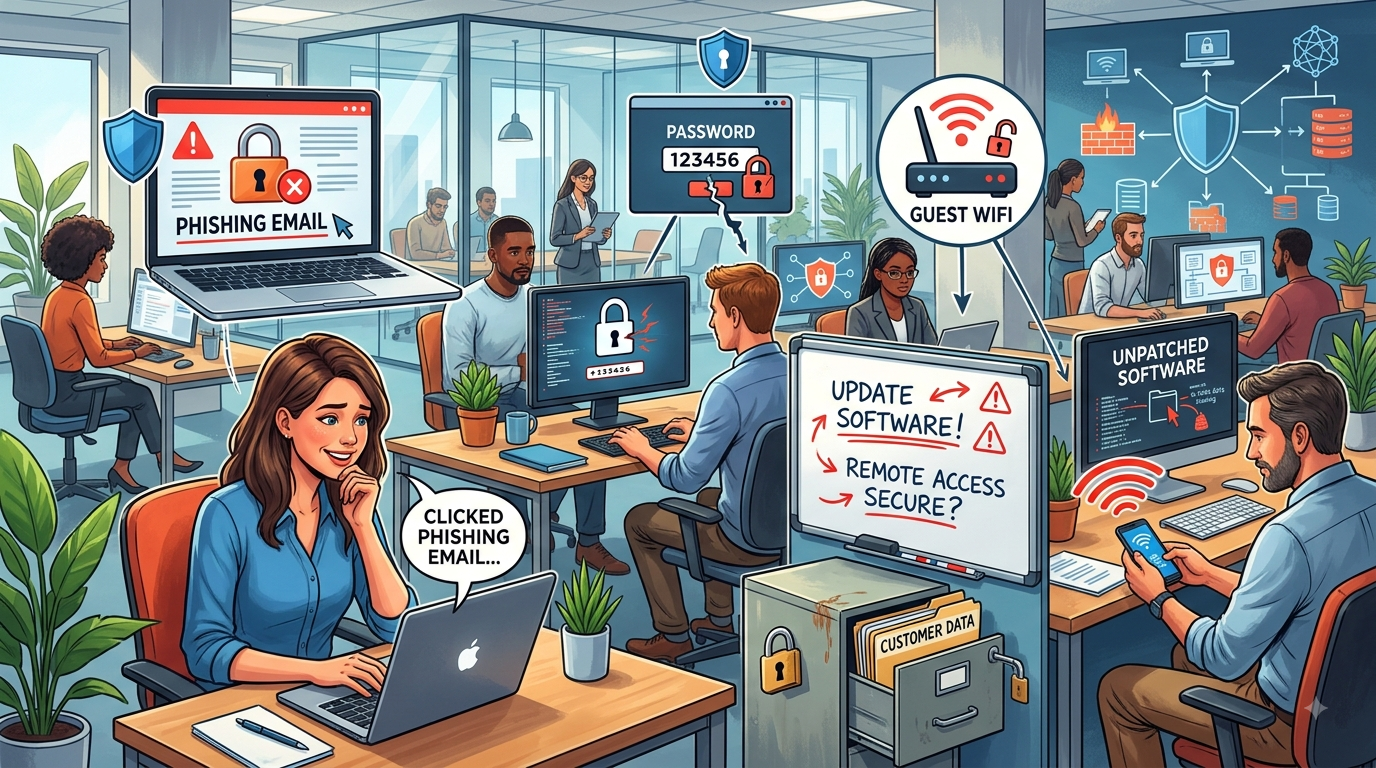
Cybersecurity is no longer a concern reserved for large corporations. Small businesses are increasingly targeted by cybercriminals because they often have valuable data but fewer security resources. A single compromised account, infected computer, or successful phishing attack can disrupt operations, expose sensitive information, and create unexpected costs.
For businesses looking for reliable Business IT Support Albany, NY, taking a proactive approach to cybersecurity can make a significant difference. Precision Fix helps businesses strengthen their technology environment through managed IT services, cybersecurity solutions, network management, data backup, monitoring, and ongoing technical support. Understanding common security mistakes is the first step toward creating a stronger defense.
1. Using Weak or Reused Passwords
One of the most common cybersecurity mistakes is using weak passwords or reusing the same password across multiple accounts.
If a password is exposed through a data breach or phishing attack, cybercriminals may try it on other services. This can potentially give attackers access to email, cloud applications, financial accounts, and other business systems.
Businesses should encourage employees to:
- Use long, unique passwords.
- Avoid reusing passwords.
- Use a reputable password manager.
- Change compromised passwords immediately.
- Never share account credentials.
Strong password practices should be combined with additional authentication controls.
2. Not Using Multi-Factor Authentication
Passwords alone are not enough to protect important business accounts.
Multi-Factor Authentication (MFA) requires users to provide an additional verification factor when signing in. This can help protect accounts even when a password has been compromised.
MFA should be enabled wherever possible, especially for:
- Email accounts
- Microsoft 365
- Administrator accounts
- Cloud applications
- Remote access
- Financial systems
Small businesses should prioritize MFA for accounts that provide access to sensitive information or critical systems.
3. Ignoring Software Updates
Outdated software can contain vulnerabilities that attackers may exploit.
Some businesses postpone updates because they are concerned about interruptions or compatibility issues. However, consistently delaying important security updates can leave systems exposed.
Businesses should maintain a regular patch management process covering:
- Operating systems
- Business applications
- Web browsers
- Servers
- Firewalls
- Routers
- Wireless equipment
- Security software
Automated updates can help, but organizations should also monitor whether updates are successfully installed.
4. Failing to Train Employees
Technology alone cannot eliminate every cybersecurity risk. Employees play a major role in protecting a business.
Without security awareness training, employees may accidentally:
- Click malicious links.
- Open dangerous attachments.
- Share confidential information.
- Approve unexpected MFA requests.
- Download unsafe software.
- Fall for social engineering scams.
Regular employee training should explain how to recognize suspicious emails, fake login pages, unusual payment requests, and other common threats.
Employees should also know exactly how to report a suspected security incident.
5. Treating Phishing Emails as a Minor Problem
Phishing remains a major cybersecurity concern for businesses.
A phishing email may appear to come from a customer, manager, supplier, bank, or familiar service provider. The message may encourage the recipient to click a link, open an attachment, or provide login information.
Warning signs can include:
- Unexpected requests
- Urgent language
- Suspicious sender addresses
- Unusual payment instructions
- Unexpected attachments
- Links leading to unfamiliar websites
Employees should verify unusual requests through a separate communication channel rather than automatically responding to the message.
6. Not Maintaining Reliable Backups
A cybersecurity strategy should include dependable data backups.
Ransomware and other incidents can make business files inaccessible. Hardware failure, accidental deletion, and other technical problems can also result in data loss.
Businesses should:
- Automate backups.
- Keep multiple copies of important data.
- Maintain an off-site or cloud backup.
- Restrict access to backup systems.
- Encrypt sensitive backup information.
- Regularly test restoration.
A backup should not simply exist—it should be tested to ensure that data can actually be recovered when needed.
7. Giving Employees Too Much Access
Employees do not necessarily need access to every business system or file.
Giving users unnecessary permissions increases the potential impact of a compromised account.
Businesses should follow the principle of least privilege, giving employees only the access required for their responsibilities.
Access should be reviewed when:
- Employees change positions.
- New employees join.
- Employees leave.
- New applications are introduced.
- Administrative responsibilities change.
Removing unnecessary privileges can reduce the potential damage caused by compromised accounts.
8. Ignoring Network Security
A business network connects computers, servers, cloud services, printers, wireless devices, and other systems. If the network is poorly secured, attackers may have more opportunities to access business resources.
Important network security measures include:
- Business-grade firewalls
- Secure Wi-Fi encryption
- Network segmentation
- Updated network equipment
- Secure remote access
- Network monitoring
- Strong administrator credentials
Guest Wi-Fi should also be separated from internal business systems whenever practical.
9. Using Unsupported Hardware and Software
Technology has a limited support lifecycle. When manufacturers stop providing security updates for a device or application, continuing to use it can create unnecessary risk.
Businesses should maintain an inventory of their:
- Computers
- Servers
- Routers
- Firewalls
- Switches
- Wireless access points
- Business applications
A technology lifecycle plan can help businesses replace aging equipment before it becomes a serious security or reliability problem.
10. Forgetting About Mobile Devices
Smartphones and tablets can contain business emails, documents, contacts, and applications. If a device is lost or stolen and does not have appropriate security controls, sensitive information could be exposed.
Businesses should consider:
- Device encryption
- Screen locks
- MFA
- Mobile device management
- Remote wipe capabilities
- Regular software updates
Employees should also avoid connecting business devices to suspicious networks or downloading applications from untrusted sources.
11. Assuming Antivirus Software Is Enough
Antivirus software is useful, but it should not be considered a complete cybersecurity strategy.
Modern businesses need multiple layers of protection, including:
- Endpoint security
- Email protection
- MFA
- Firewalls
- Network monitoring
- Security awareness training
- Backup and recovery
- Patch management
- Access controls
A layered approach means that if one security control fails, other controls can still provide protection.
12. Not Having an Incident Response Plan
Businesses often focus heavily on preventing attacks but fail to plan what happens if an incident occurs.
An incident response plan should explain:
- Who should be contacted.
- How suspicious activity should be reported.
- Which systems should be isolated.
- How backups will be used.
- How employees should communicate.
- When external IT or security professionals should be involved.
Having a documented plan can reduce confusion and help businesses respond more quickly during a security incident.
How Professional IT Support Can Help
Managing cybersecurity requires ongoing attention. Small businesses may not have the internal staff or expertise required to monitor every system, maintain security controls, and respond to emerging threats.
Professional IT providers can assist with:
- Cybersecurity assessments
- Network security
- Endpoint protection
- MFA implementation
- Patch management
- Backup monitoring
- Security awareness
- Microsoft 365 security
- Network monitoring
- Incident response planning
For businesses searching for trusted Business IT Support Albany, NY, Precision Fix provides managed IT services, cybersecurity, network management, cloud support, data backup, and proactive IT maintenance. Professional support can help identify security weaknesses and implement practical improvements without unnecessarily disrupting business operations.
Best Practices for Small Business Cybersecurity
Small businesses can strengthen their security by following a consistent approach:
- Use strong, unique passwords.
- Enable MFA.
- Keep software updated.
- Train employees regularly.
- Maintain tested backups.
- Limit user permissions.
- Secure business Wi-Fi.
- Monitor network activity.
- Replace unsupported technology.
- Protect mobile devices.
- Develop an incident response plan.
- Review cybersecurity practices regularly.
Cybersecurity should be treated as an ongoing business responsibility rather than a one-time project.
Frequently Asked Questions
What is the biggest cybersecurity mistake small businesses make?
There is no single mistake that affects every business, but relying on passwords alone, failing to update systems, ignoring employee training, and not maintaining tested backups are common and potentially serious weaknesses.
Does MFA completely protect a business?
No. MFA is an important security layer, but it should be combined with endpoint protection, employee training, secure backups, patch management, network security, and monitoring.
How often should employees receive cybersecurity training?
Training should be provided regularly and reinforced when new threats or security policies emerge. Short, ongoing awareness activities can help employees recognize suspicious behavior.
Should small businesses outsource cybersecurity?
For businesses without dedicated cybersecurity expertise, working with a professional IT provider can provide access to security tools, monitoring, expertise, and ongoing support.
Final Thoughts
Avoiding common cybersecurity mistakes is one of the most effective ways for a small business to reduce unnecessary technology risks. Weak passwords, outdated software, missing MFA, poor employee awareness, inadequate backups, excessive user permissions, and unsecured networks can create opportunities for cybercriminals.
A strong cybersecurity strategy combines technology, processes, and employee awareness. Regular reviews can help businesses identify weaknesses before they become costly incidents.
If your organization needs dependable Business IT Support Albany, NY, Precision Fix provides comprehensive managed IT services, cybersecurity, network management, cloud solutions, data backup, and proactive IT support. By addressing common security mistakes and building multiple layers of protection, your business can better protect its systems, data, employees, and customers.

 Arabic
 French
 Spanish
 Portuguese
 Deutsch
 Turkish
 Dutch
Dutch
 Italiano
 Russian
 Romaian
 Portuguese (Brazil)
 Greek
Greek