


Safety Software for Workplace Safety Management
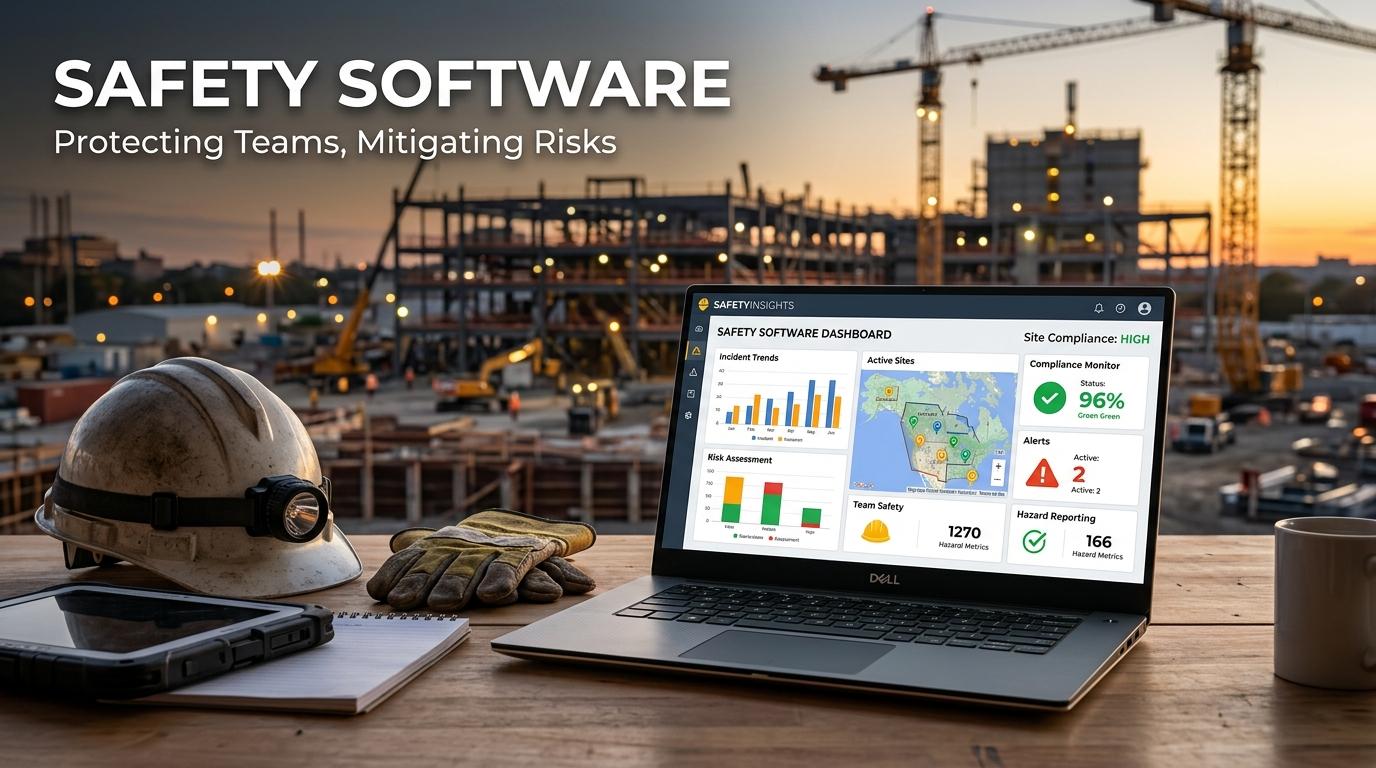
Organizations need practical ways to identify workplace hazards, manage incidents, complete inspections, and maintain safety records. Safety Software helps businesses organize these activities through a centralized digital system where employees, supervisors, and safety teams can record information and monitor follow up actions. I believe reliable software can make workplace safety management easier because important records are available in one place rather than being spread across paper forms, spreadsheets, and disconnected files. Manufacturing companies, construction businesses, warehouses, healthcare facilities, logistics operations, and other workplaces can use safety technology according to their risks, workforce, and operational requirements.
Workplace safety management is not only about responding after an accident. We need to identify hazards before they cause harm, assess risks, apply suitable controls, conduct inspections, investigate incidents, and confirm that corrective actions are completed. A suitable digital system can support these activities while helping organizations maintain consistent records and clear responsibilities.
Why Safety Software Matters
Workplace safety involves many responsibilities that need regular attention. Employees may need to report hazards, supervisors may investigate incidents, and safety professionals may conduct inspections or audits. Managing all these activities manually can become difficult as an organization grows.
Safety Software can help organizations:
- Organize workplace safety information
- Record incidents and near misses
- Manage workplace hazards
- Conduct digital inspections
- Track corrective actions
- Monitor compliance activities
- Review safety performance
You can reduce administrative work when routine safety activities are handled through structured digital processes.
We can also improve accountability when each task has an assigned person, deadline, and completion status.
Workplace Safety Management Through Digital Tools
Workplace safety management requires continuous monitoring of working conditions. A business needs to know which hazards exist, what controls are in place, and whether those controls are working.
Safety software can support a basic workflow such as:
- Identifying a hazard
- Assessing its risk
- Selecting controls
- Assigning corrective actions
- Monitoring progress
- Reviewing the result
I believe this approach is useful because safety teams can follow the complete history of an issue instead of relying on separate documents.
For organizations with several facilities, centralized information can also make it easier to compare safety activities across different locations.
Safety Management Software Supports Daily Activities
Safety management software provides tools for managing routine safety responsibilities.
Common functions may include:
- Safety observations
- Hazard reporting
- Inspection scheduling
- Incident records
- Corrective action management
- Safety reporting
Employees can use these functions to report workplace concerns, while supervisors can review reports and assign appropriate actions.
You should choose software that is easy for frontline employees to use. A system with complicated forms may discourage workers from reporting minor hazards or near misses.
Workplace Safety Software for Employees
Workplace safety software gives employees a direct role in safety management.
Depending on the platform, workers may be able to:
- Report hazards
- Submit near miss reports
- Complete inspections
- Record observations
- Upload photographs
- Update assigned tasks
We can improve reporting speed when employees can submit information from the location where a problem occurs.
Mobile access can be particularly useful for construction workers, warehouse teams, maintenance personnel, field inspectors, and employees working across multiple facilities.
Safety Compliance Software
Safety compliance software helps organizations organize records and activities related to applicable workplace requirements.
It may support:
- Compliance schedules
- Regulatory records
- Required inspections
- Training documentation
- Safety procedures
- Corrective actions
- Compliance reports
Businesses should configure the system according to the laws, regulations, standards, and internal requirements relevant to their operations.
I believe software can make compliance administration easier, but it should not be treated as a replacement for professional safety management or legal guidance.
Regular reviews are still necessary to confirm that records and procedures remain accurate.
Hazard Management Software
Hazard management software helps organizations record and monitor unsafe conditions.
A hazard record may contain:
- Hazard description
- Location
- Risk rating
- Existing controls
- Recommended action
- Responsible person
- Due date
- Completion status
You can attach photographs or supporting documents when the system supports these functions.
Visual evidence may help supervisors and safety teams understand the condition being reported and decide what action is appropriate.
I believe employees should be encouraged to report hazards even when no incident has occurred because early action can prevent a minor concern from becoming a more serious problem.
Risk Management Software
Risk management software helps organizations assess workplace hazards and prioritize actions.
A digital risk assessment may record:
- Hazard information
- Likelihood
- Severity
- Existing controls
- Risk level
- Additional controls
- Review date
Workplace risk management becomes easier to monitor when assessments are stored in one central system.
You can identify higher risk activities and focus resources where they are most needed.
Risk assessments should also be reviewed when processes change, new equipment is introduced, or workplace conditions become different from those considered during the original assessment.
Incident Management Software
Incident management software provides a structured process for recording and investigating workplace incidents.
Employees can potentially report:
- Injuries
- Near misses
- Property damage
- Equipment incidents
- Unsafe conditions
- Environmental events
After an incident is submitted, safety professionals can document the investigation, identify contributing factors, and assign corrective actions.
We can learn more from incidents when information is recorded accurately and reviewed carefully.
Historical incident records can also help organizations identify recurring problems across departments, locations, equipment, or work activities.
Corrective Action Management
Identifying a hazard or incident is only one part of workplace safety. Organizations also need to make sure corrective actions are completed.
Safety software can track:
- Action description
- Responsible employee
- Priority
- Due date
- Current status
- Completion evidence
Managers can review open actions and follow up on overdue items.
I believe this feature creates greater accountability because employees know what they are responsible for and managers can see whether actions have been completed.
A safety program becomes less effective when identified problems remain open without clear ownership.
Digital Safety Inspections
Regular inspections help organizations identify unsafe conditions and check whether safety controls are working properly.
Digital inspection features may include:
- Standardized checklists
- Scheduled inspections
- Mobile inspections
- Photo attachments
- Findings
- Corrective actions
- Inspection history
You can use consistent checklists across different facilities while still allowing teams to record location specific findings.
We can also review previous inspection records to determine whether the same issues are appearing repeatedly.
Health and Safety Software
Health and safety software can combine several workplace safety activities within one platform.
Depending on the system, it may support:
- Workplace inspections
- Employee observations
- Risk assessments
- Incident reporting
- Safety training
- Compliance management
This can reduce the need for separate applications for individual safety activities.
I believe a connected system is especially useful when safety departments need to review information from several areas before making a decision.
Safety Training Records
Employee training is an important part of preventing workplace incidents. Workers need appropriate knowledge and skills for the tasks they perform.
Safety software can help maintain:
- Employee training records
- Course information
- Completion dates
- Expiration dates
- Certificates
- Required training
Managers can use these records to identify employees who need upcoming or overdue training.
You can also connect training information with job roles when the software supports that function.
We should review training records regularly because expired or incomplete training can create unnecessary workplace risk.
Mobile Safety Management
Many employees spend most of their working hours away from an office computer. Mobile access allows them to record safety information directly from the workplace.
Mobile functions may include:
- Hazard reporting
- Incident reporting
- Safety observations
- Digital inspections
- Photo uploads
- Corrective action updates
I believe mobile reporting is useful because workers do not need to remember details until they return to an office.
The system should remain simple enough that employees can complete essential tasks quickly without unnecessary steps.
Safety Reporting and Analytics
Safety software can convert stored information into reports that help managers review workplace performance.
Useful reports may cover:
- Incident statistics
- Near miss activity
- Risk levels
- Inspection completion
- Corrective action status
- Training completion
- Compliance activities
We can identify areas requiring attention when reports provide clear and relevant information.
For example, repeated incidents in one department may indicate a need for additional training, improved equipment, revised procedures, or another risk assessment.
Reports should support practical decisions rather than simply producing large amounts of data.
Cloud Based Safety Software
Cloud based safety platforms can allow authorized users to access records from different locations.
Potential benefits include:
- Centralized information
- Remote access
- Data backups
- Software updates
- Multi location support
This can be helpful for organizations that operate several facilities or have safety teams working across different sites.
However, businesses should review security controls, user permissions, backup procedures, and data handling practices before selecting a cloud platform.
Integration With Other Business Systems
Safety software may integrate with other business applications to reduce duplicate data entry.
Possible integrations include:
- Human resources systems
- Maintenance software
- Asset management platforms
- ERP systems
- Document management systems
- Training platforms
For example, employee information from an HR system may be used to maintain safety training records.
Integration can also help safety teams connect equipment information with inspections, maintenance activities, and reported hazards.
You should evaluate integrations based on actual business needs rather than selecting software simply because it supports many connections.
Choosing the Right Safety Software
Every organization has different safety requirements. A construction company may need strong mobile inspection capabilities, while a manufacturing facility may place greater importance on equipment risks and incident investigations.
Before selecting a solution, consider:
- Industry requirements
- Number of employees
- Number of facilities
- Mobile functionality
- Hazard management
- Risk assessment
- Incident management
- Inspection tools
- Compliance tracking
- Reporting
- Integration
- Data security
- Customer support
I recommend testing common workflows before implementation.
For example, employees should be able to report a hazard, supervisors should be able to assign a corrective action, safety teams should be able to complete an inspection, and managers should be able to review the resulting reports.
Employee Participation and Management Support
Technology cannot create a safe workplace by itself. Employees need clear procedures, supervisors need to respond to reported concerns, and management needs to provide appropriate resources.
Workers should understand when they need to report hazards, incidents, observations, and near misses.
We can build stronger workplace safety management when employees know that their reports are reviewed and that appropriate action will follow.
Training employees on the software is also important. They should know how to use the system and understand why accurate information matters.
Future of Safety Software
Safety software will likely continue developing through automation, artificial intelligence, predictive analytics, mobile technology, connected equipment, and improved reporting.
Future systems may help organizations identify patterns in incident data, prioritize higher risks, automate reminders, and connect safety information with equipment and operational records.
I believe the most useful improvements will be practical features that reduce repetitive administrative work while giving safety professionals better information about workplace conditions.
Organizations should evaluate new technology according to their actual risks and operational requirements rather than adopting features simply because they are available.
Final Thoughts
Safety Software provides organizations with a structured way to manage workplace safety management, hazards, incidents, risks, inspections, compliance activities, training, and corrective actions. Whether you need safety management software, workplace safety software, safety compliance software, hazard management software, incident management software, risk management software, workplace risk management tools, or health and safety software, the right platform should support employees and fit the organization's actual safety processes.
I believe effective workplace safety comes from combining suitable technology with clear procedures, regular inspections, employee training, accurate reporting, and responsible leadership. When we use safety software to organize these activities, organizations can maintain better records, respond to concerns more efficiently, and create a more consistent approach to protecting employees and daily operations.

 English
 Arabic
 French
 Spanish
 Portuguese
 Deutsch
 Turkish
 Dutch
Dutch
 Italiano
 Russian
 Romaian
 Greek
Greek